3S: Drive by wire installation

Watching / learning a lot about how to tune the car on an aftermarket ECU (LinkECU G4X) has been a process and one of the things often mentioned is how DBW is the best way to control idle (compared to stepper motors, etc) and it also reduces potential air leaks. I also realized if I converted to DBW, that would free up several new AUX channels on the ECU for my Coil on Plug install that is coming later this winter…. so I went down the path…

Throttle Body Installation

The Bosch 68mm throttle body is said to be a “direct” fit and just needs to be drilled out… and generally this is the case. The throttle body is already set up for M6 bolts, while the 3S Plenum is M8. So you need to drill this out to about 9mm. I had two drill bits that were close in size, I tried the smaller one 11/32″ (8.73mm) and couldn’t install it still, and ended up using 3/8″ (about 9.5mm) and it worked fine. Once you do that, the next problem I ran into was the stock bolt fitment… they technically fit but I couldn’t fit a socket over them. So I swapped them out for M8x1.25 55mm socket head caps and used some purple thread locker (retainer). The next problem I ran into was the bracket that holds the plenum up ran into the throttle body motor so I had to remove that (which was a pain if you don’t want to remove anything else).

I covered up the connector and the whole housing to prevent any metal shavings from getting into it while drilling it out…
Very tight fitment with the stock bolts and the socket on the bench. When trying to install it on the car, it wouldn’t fit…
Custom 3D Printed TPU Gasket installed (linked below).
Brackets which I removed. The one on the back of the valve cover had three bolts, 2 12mm sockets and 1 10mm socket iirc. The steel braided oil lines to the turbos are pretty rigid which made the removal more annoying. If you pulled the plenum off it would have been easier….
Finally installed with the brackets removed.
All buttoned up. The previous silicon coupler fit, but it was tight. I had to increase the size of the t-bolt clamp. The previous one was 67-75mm (iirc) and this is just a tad too big. I have a 73-81mm ordered. I do not plan on replacing the silicon coupler though.

350Z Pedal Installation

I bought the pedal adapter from Outsider Garage over the EvoSpec one as the pedals were much more commonly available and significantly cheaper I think I paid $55 shipped for mine (used) versus most evo ones were close to $200. The pedal adapter was only $45 which was cheaper than I could make / design this myself (as I was going down this path originally).

There is a piece of folded medal on the back of the 350z pedal that needs to be removed, otherwise you only have about 1/2″ – 3/4″ travel on the pedal (probably about 30% it’s total capacity). I removed a good amount, and now the pedal hits the floor. I would argue I have about 80-90% the total throw now, and once you get it into the ECU you calibrate it and so it’s not a big deal. I do wish the angle on the adapter was a little steeper so that pedal stuck out further, but it is what it is. I know outsider garage sells a replacement pedal for this, and maybe that fixes some of my complaints.

The adapter shifts the pedal to the left a bit as it’s more inline with where the stock one was.
You can see it sits a bit lower than the brake pedal, but it’s in a good position (horizontally)
Back of the pedal trimmed down.

Wiring

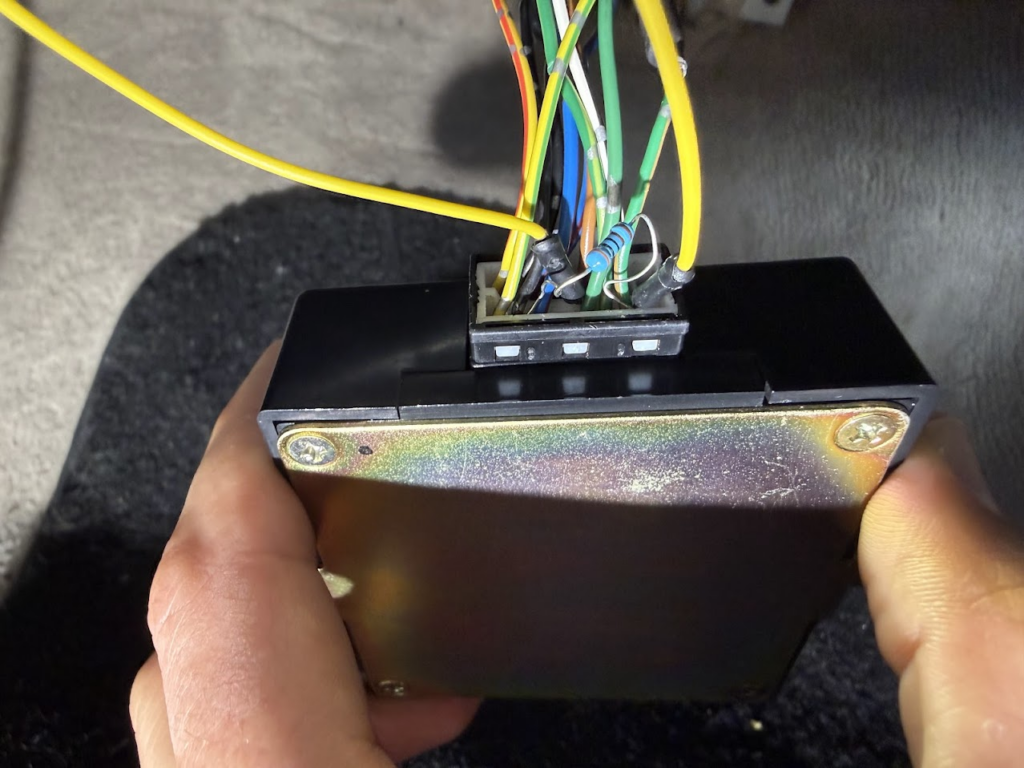
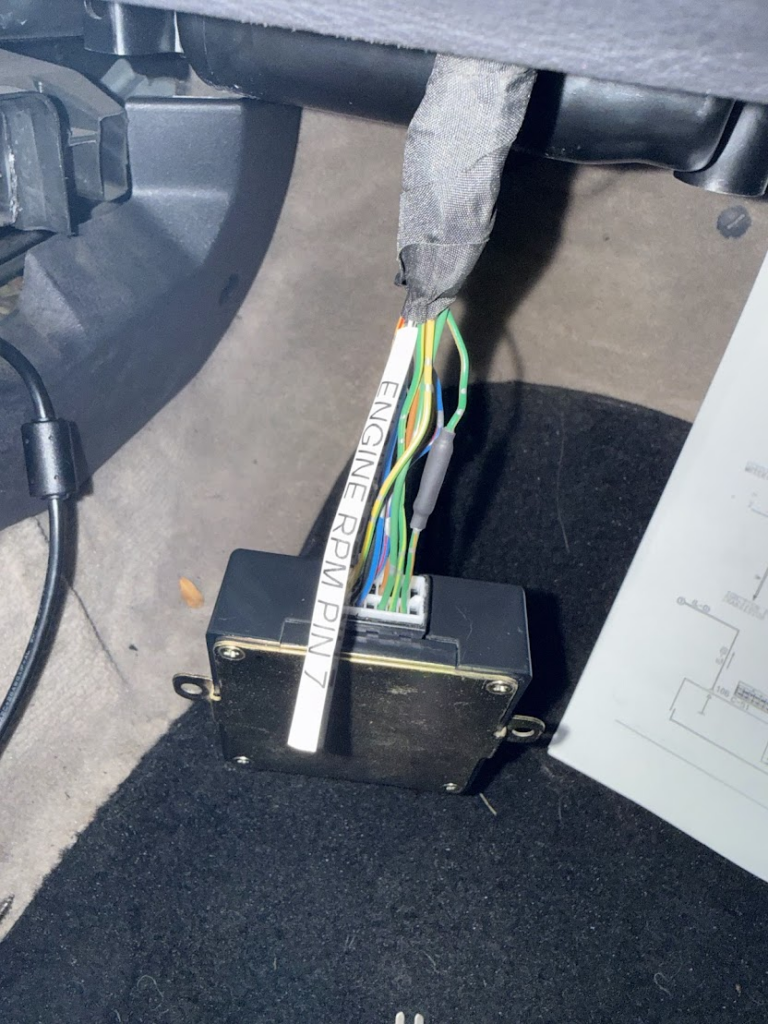
Wiring was my least favorite task of this whole effort. I really didn’t know where I wanted everything pinned to in the ECU, but I eventually came out with a solution that cleaned it up a little, but didn’t require me to re-wire everything. I had a lot of wires on my expansion “ports” for the ECU previously but I moved them to the main harness and used the expansion port for the DBW as it was designed for that. The throttle body and the pedal both need 2 sensors each ( redundancy ), and the TB needs two (three) AUX ports.

Throttle Body Connector is a Tyco Electronics Micro Quadlok System (TE MQS 6 Way). I originally purchased this from Haltech as it was convenient, but they are expensive and don’t give you any extra pins and I messed up the first one which was annoying. You’d think for $16 they could include an extra pin that only costs them pennies. Anyways it used a lot smaller pitch crimp, I don’t recall which exactly it was, but it was around 1.6 in size based on the “Engineer” crimper I have.

The pedal I bought came with a pigtail that was long enough for me to swap it over to a TE Deutsch DT connector which I use for all the connectors I can. While it’s a bit larger in size, it’s a good strong water proof connector. I am 99% positive the Nissan 350z is a Sumitomo MT branded connector. I have linked it below in the event you need it.

I’m not going into the tuning process at all. That’d be a whole discussion by itself. I will admit I messed up one setting when I first turned it on. I changed everything to the throttle position…. except my “startup offset” which was set to 10, which meant it added 10% throttle to the idle base position… so the car idled at 3k RPM on a cold engine… thankfully that was an easy fix, but I rather not idle at 3k on a cold engine…

This is my overall pinout. At the point of this post, I have completed everything in Part 1. The left column is where it was prior to the install, the yellow highlight is things that are pins that have moved from their stock location. The orange ones are the proposed changes for each “part” of the upgrades this winter. Hopefully Part 2 will be all that I ever have to do for this car [we know it won’t be].
This is my expansion ports on the Link G4X Plug-in ecu. I never really thought I was going down the DBW path and didn’t realize that connector 2 was really made exactly for the DBW setup… so that’s why i had to move most of my sensors to the main harness.

It Runs!

Testing out the pedal and throttle.
Actually running!

Parts List:

Bosch 68mm Electronic Throttle Body – 0 280 750 156
Throttle Body Gasket (Makerworld)
Outsider Garage 350z Pedal Adapter
Nissan 350z Pedal (with pigtail or Sumitomo MT-6S-3)
TE 6 way MQC (OEM P/N: 1-967616-1)
M8x1.25 55mm Socket Head Cap Bolts (4x)
Mishimoto 73-81mm Constant Tension T-Bolt Clamp

Disclaimer: This is just where I bought stuff from based on prices and shipping times. You can probably find cheaper / better parts if you look around more for some of these items.

CNC Madness

It all starts with a need. No matter how small it may be. I needed to have a “cover” for an aquarium overflow (to both quiet the system down and to prevent splashing). I decided to quickly design it in OnShape and print it out on my 3D Printer. Shortly after designing it and slicing it with Cura I loaded up the file into OctoPrint to realized it was a an 18 hour print. Not only was it an 18 hour print, it was so large this 18 hours was only for half of what I needed.

Clearly I needed a better solution. So why not buy one of those little CNC routers I see on Banggood.com so often? I’ve wanted to try them, and a cut like that couldn’t take more than 30 minutes right? Down into the rabbit hole I went.

A day later I made my purchase. I decided on the “3018 3 Axis Mini DIY CNC Router Standard Spindle Motor Wood Engraving Cutting Milling Engraver” and at the end of the week it arrived. This worked out as I was very busy at work and wouldn’t be able to build it until then anyways.

I was not prepared for how much effort jumping into the CNC cutting / engraving world would take. Then add on all the faults of this 3018 Kit it would consume me for a couple weekends!

Assembly:

This is the kit as it arrived.

Assembly

Assembly

The Kit Problems:

  • Wrong sized “SK”
    • The linear rod’s are 8mm in size, and the kit comes with 8 SK’s total. 6 of them were SK8 (8 meaning 8mm), and 2 of them were SK10’s.
  • Wrong threading on the lead screw.
    • So this one certainly threw me for a whirl and there was no way I could over-come this without purchasing more items. The kit came with some 8mm Lead screw’s which move the x/y axis. I ran into an issue with some of the brass not screwing in. After many minutes of trying to figure out what was wrong I eventually looked at the lead screw and realized the thread pitch was different than the other.
  • Wrong sized screws
    • There are a few spots on the kit where the included screws were too long and thankfully I had a good set of M5 screws which got me through it.
  • Missing Corner Brackets
    • The kit was missing 4 of the 2028 Corner brackets.

So about $45 later and amazon next day shipping I was back up and in assembly. (I did contact Banggood about these issues, and exchanged several emails and they were supposed to get back to me within 72 hours… 7 days ago.)

Update: Banggood and I have resolved our issue and they are issuing me a partial refund that I am satisfied with.

SK10 with 8mm rod

Lead Screw Pitch Difference


First Cuts!

After assembly I watched this youtube video “How to start CNC Machining for under $200 – Working with the T8 CNC engraver” which was tremendously helpful in learning the basics of the CNC. With this guide (and part 2 since the AutoDesk software is no longer around) I was able to get my first engraving completed.

Completed!


Upgrades

Now that I have the thing up and cutting / engraving I want to push it further. I decided to do a few upgrades.

Additional corner bracing

Additional corner bracing

ER11 Collet Installed and “engraving”

  • ER11 Collet
    • The set-screw holding device for the tool sucked. 100% sucks. It wobbles a fair amount and you are very limited in size of what tools you can use.
  • Additional Bracing
    • One of the reasons most people say you can’t cut anything significant with these cheap CNC’s are becuase of the strength. While I feel the Z-Axis is the weakest of the axis, these were low hanging fruit that I decided to upgrade.
  • Material Clamps
    • Bought a few cheap material clamps from Amazon. These are significantly better than the ones it comes with, but still not very good. A light weight vice may be the best solution in the future.


Future Upgrades:

Honestly I am really torn on where to go with this CNC at this point. It engraves and cuts softer materials just fine. It does require you to go pretty slowly. It could use some more vertical wiggle room, but the higher it is the less stable it is.

My goal is really to cut aluminum, but I don’t think this one can do that ever. I could upgrade the spindle to a stronger motor, but even then the Z-carriage is still too weak (guess).

If I want to cut aluminum, I think I really need to build a much stronger one using 4040 or something, and really make a custom stronger Z-carriage. What is this one good for at that point though? I could turn it into a laser engraver / cutter…

AirbladeUAV Creampuff – 2.5″ of fury!!

When I first heard about these little 2.5″ quads I questioned the need for them. I really didn’t understand if they were hype or not. So I built a “HoneyPot” from AirBladeUAV. The HoneyPot was supposed to be the big brother of the TinyWhoop. It sounded great on paper, but mine never flew right. It was a constant battle of gremlins. The screws were hitting the motors, the ESC’s were not happy, motors were not happy, random flips, poor performance and the list just continued.

So obviously when AirBladeUAV released the Creampuff I was even more hesitant. I was told the HoneyPot was just too heavy and the Creampuff would be better. I questioned how much difference could 20g make? Turns out it was a lot! This little Creampuff screams! I actually re-used nearly all the components from the HoneyPot so the build was a breeze. I was able to diagnose one of the ESC’s was bad. It was good enough to hover but any punch out would cause a death spin into the ground.

I also swapped out the FuriousFPV RX for a FrSky XM. A little disappointed by the XM to be honest. The first real flight with the Creampuff showed me the XM just doesn’t have the distance I would have expected. I was sitting on my porch and as soon as I got over the top of the house I lost signal, it came crashing down about 20 feet into the roof, then bounced onto the side yard. No damage thankfully. Since then I just don’t go very far away with it. I also do not have any telemetry info at all, but I have found that I am easily getting 3-4 minutes of flight on a 3S 450mah battery.

Quad Details:

AUW Weight: 107.65
Frame: AirBladeUAV Creampuff
Flight Controller: FuriousFPV PIKO BLX
Firmware: Betaflight 3.1.5
CLI: Nearly stock PID’s, D was increased slightly (4-5)
Motors: RotorX 1105B 6500kV
Props: RotorX RX2535
ESC’s: DYS XM10
Cam/VTX: Eachine TX03
Receiver: FrSky XM
Battery: Tattu 450mah 3S 75c

Close up of the Honeypot’s wiring

Picture of the Honeypot before the tear down.

Preparing the electronics for the Creampuff

Creampuff build complete

Creampuff weight dry

Creampuff AUW 107.65g w/ 3S 450mah